
Cluster destroy is not one of the most executed actions within a Nutanix environment. However, it is the most destructive one. After a hardware refresh, or just an ending support contract, it is necessary to destroy the cluster. Unregistering a cluster from PC using the command line is not a supported method, as the cluster may not be able to join another Prism Central instance. A supported method to unregister a PE from PC is just to destroy it.
Before destroying a cluster, I try to cleanup as much as possible. If the cluster is a replication target, I change the protection policies. If traditional Protection Domains are used, I change those, and remove the cluster as a remote site.
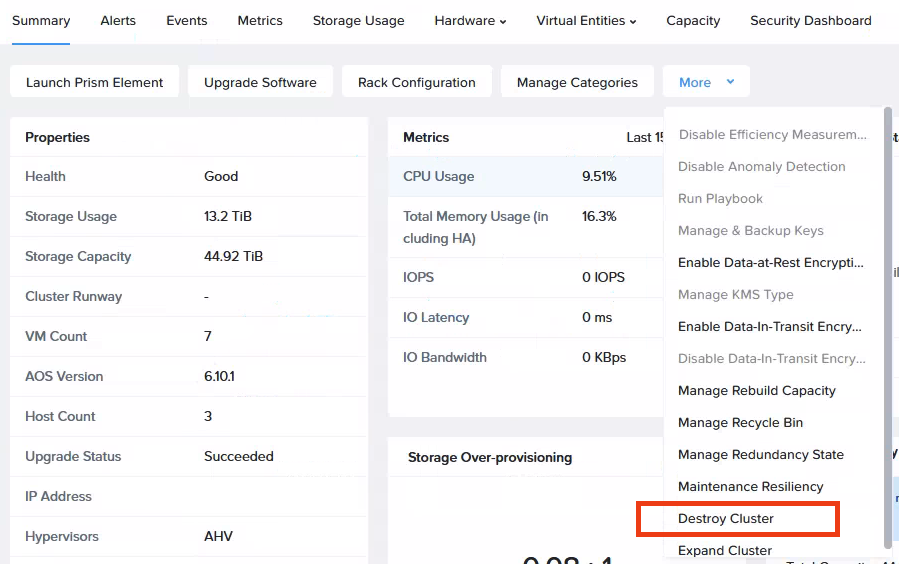
One of the actions in Prism Central you can perform on a cluster is to destroy it. I always tell my customers that you can do no harm to the cluster from the UI, but that has changed now.
Luckily, the method is not 1-click.
Before destroying a cluster, I try to cleanup as much as possible. If the cluster is a replication target, I change the protection policies. If traditional Protection Domains are used, I change those, and remove the cluster as a remote site.
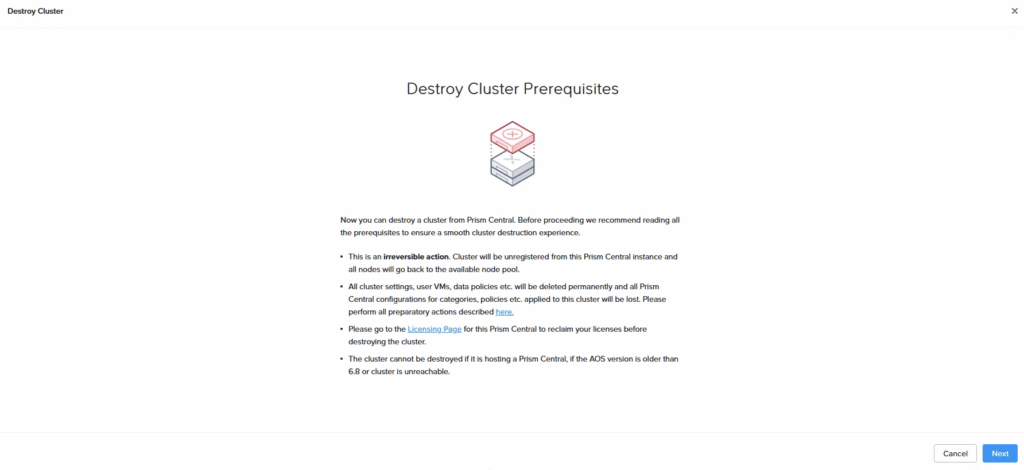
If you click on Destroy cluster, the prerequisites for destroying your cluster are shown.
One of the prereqs is the cluster to be unlicensed.
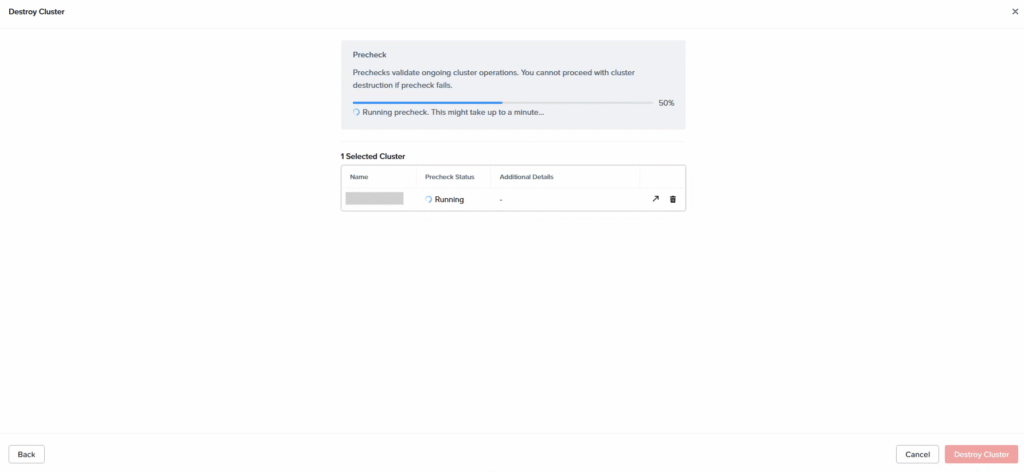
After clicking Next, the cluster is running a precheck. This precheck is not running for a long time. Within a minute, it is completed.
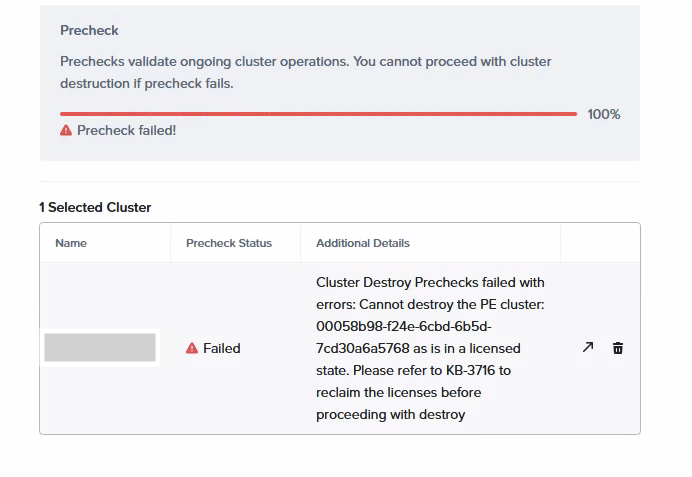
If you, like me, are sometimes stubborn and think that it will work without reclaiming the license, you will be disappointed.
You really have to reclaim the license before proceeding with the destroy.
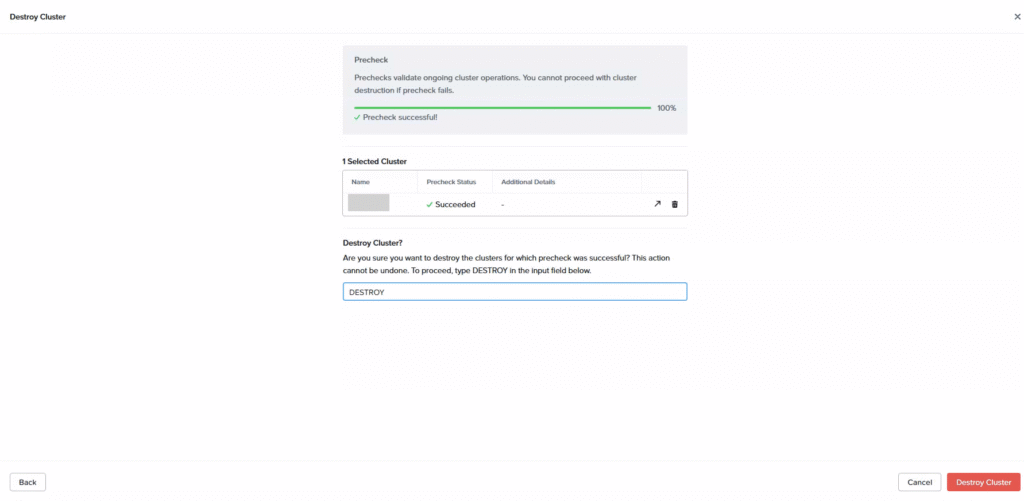
When the licenses are reclaimed, you can finally destroy the cluster. Just type DESTROY (case sensitive) to proceed.
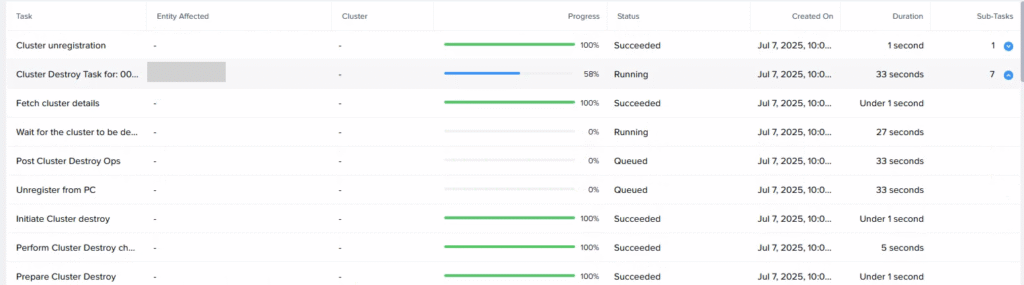
You can follow the tasks in the task window of Prism Central until it is completed.
If all tasks are completed, you just have to poweroff the nodes, unrack them and you are finished.
Leave a Reply