
Using recovery plans we are already able to define the startup sequence of virtual machines. In case of disaster we make sure the entities are booted in a correct order to make sure the applications and services are back online as soon as possible. With the introduction of Prism Central 7.5 and AOS 7.5, we are now able to define startup policies for node failure or cluster restart events.
As categories are used, the policies are configured in the Prism Central UI.
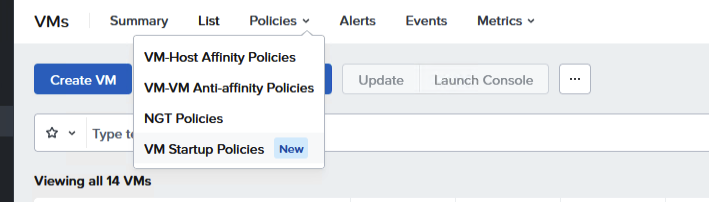
Navigate in Infrastrcucture to the VM section. Under Policies you will find the VM Startup Policies.
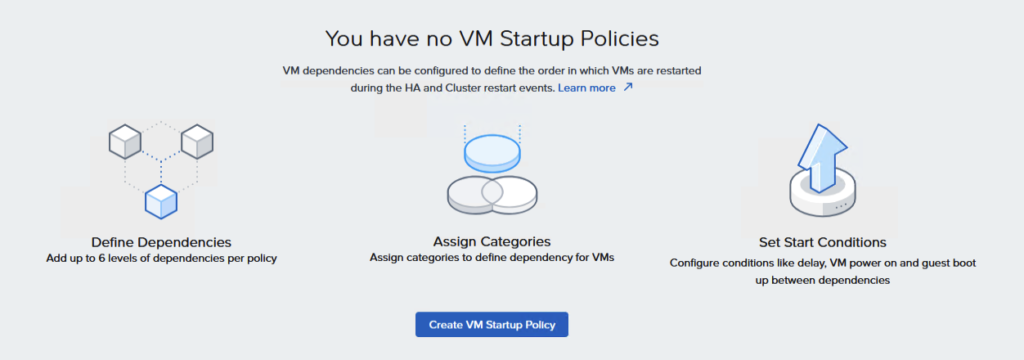
No policies available so it is time to create one, but not before we have created some categories to use in the VM Startup Policies.
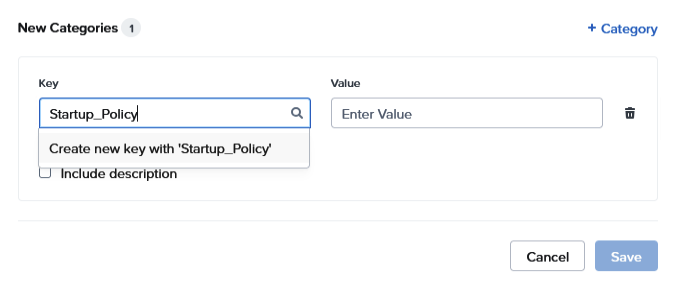
Categories are created in the Admin Center, and you create the Key:Value pairs here. In one single startup policies, you can define up to six batches.
I always say, keep it simple and try to create not more than 3 levels within one policy.
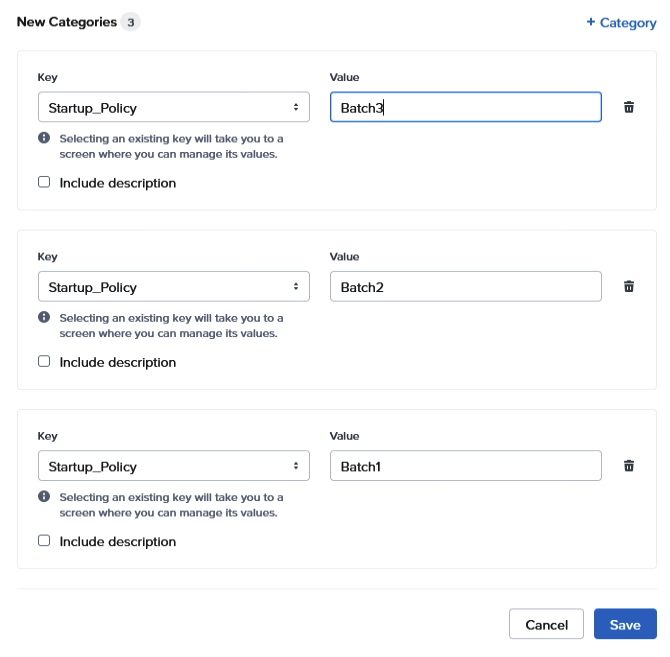
So, for this demo I created three Key:Value pairs for creating the VM Startup Policy.
Startup_Policy:Batch1
Startup_Policy:Batch2
Startup_Policy:Batch3
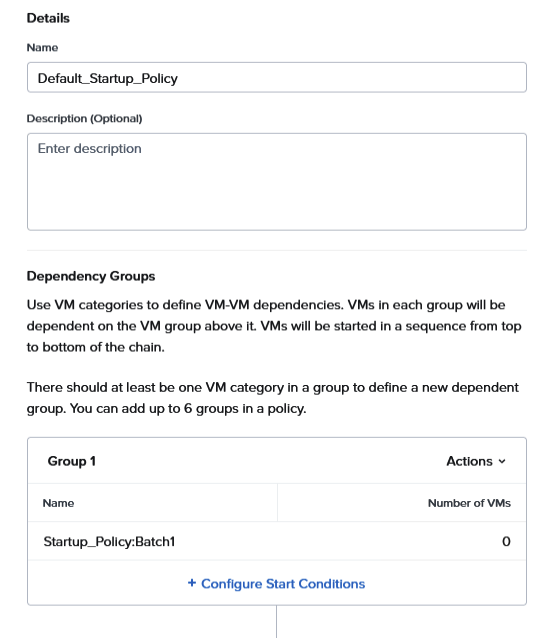
Then we can finally create a VM Startup Policy.
Of course the policy needs a name, and you are able to add a description as well.
When finished with that, you add a Key:Value pair to Group 1 . Start Conditions can be configured as we already know of the recovery plans. With the delay duration we can add some time before the next stage will start.
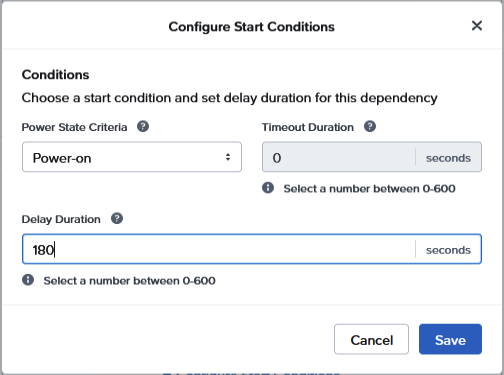
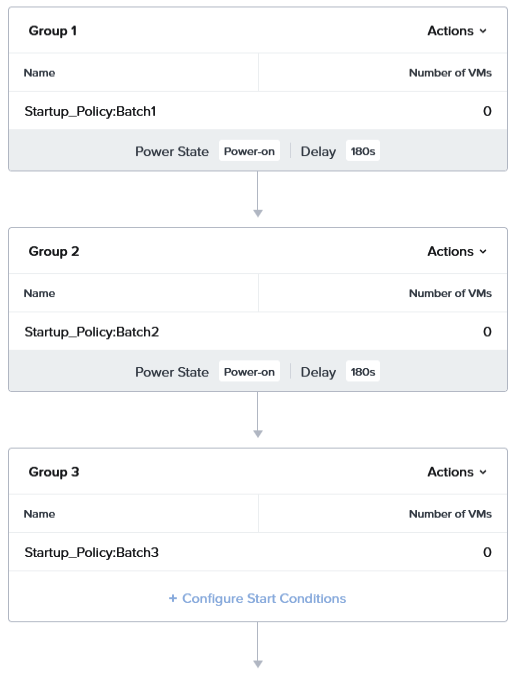
So, we have configured three Key:Value pairs in the VM Startup Policy. There is also configured a delay of 180 seconds between the dependency groups.
So next time, a HA event occurs, Prism Central knows about the order in which virtual machines are going to start.
This is a nice little addition to the Prism Central, and will definitely help to recover quickly from node failure.
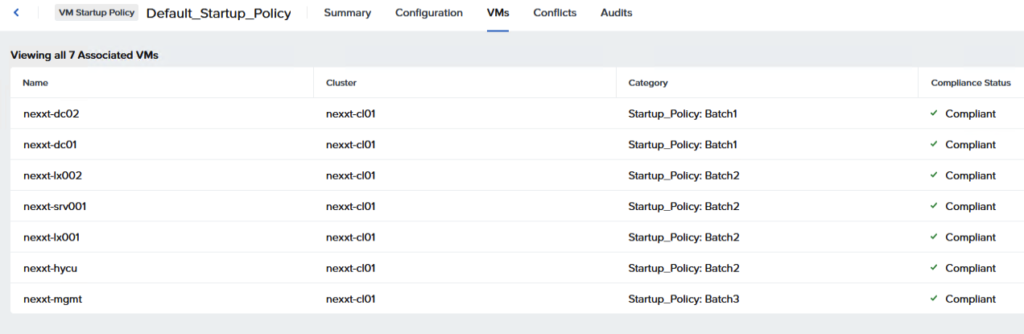
After saving the policy, the newly created Key:Value pairs have to be assigned to VMs. If that is successful, the assignments are shown in the VMs tab of de Startup policy. In this way, you are able to check quickly if the assignments are correct.
Leave a Reply